Pool service software · Phoenix, Arizona
Software for Phoenix pool routes, built by someone who ran one.
Heat, evaporation, and a fill hose that keeps raising your calcium. WaterMark is an office dashboard and an offline field app with a real chemistry engine underneath: LSI and dosing computed on the phone, in the backyard, with no signal. Phoenix runs a year-round route with a brutal June-through-September peak, and the software should know the difference.
Thirty days free, no credit card. Paid base pricing counts technicians, not pools: at the same technician count, a 400-pool route has the same WaterMark base subscription as a 40-pool route. Optional usage and payment processing are separate.
The field app, WaterMark Pool Service, is live on the App Store and Google Play.
Straight about what we are: WaterMark is software, sold everywhere. We do not have an office in Phoenix, we do not have staff in Arizona, and we are not going to invent a local customer to put on this page. What is genuinely local here is the water, and that is what the rest of this page is about.
What the water actually does in the Valley
Not a weather report. These are the four things that decide whether a Phoenix route runs clean or runs on callbacks.
Regional patterns vary by utility, well, property, and season. Test each pool's water; this context never replaces a measured reading.
- Evaporation runs the pool. Months over 100°F mean constant top-off, and every gallon of fill water leaves its minerals behind. Calcium hardness climbs on its own and takes the saturation index with it.
- Stabilizer creeps up all summer. Chlorinating a hot pool with stabilized product week after week walks cyanuric acid upward until your free chlorine stops acting like free chlorine. The reading that explains a green pool is often CYA, not FC.
- Monsoon season is a debris event. July through September, dust and blown organics load filters and eat chlorine overnight. Routes get rescheduled around storms.
- Hard fill water is common across the Valley. Scaling on tile, heaters, and salt cells is a common failure mode here, so the saturation index is a number that actually predicts a callback.
What WaterMark does about it
Every item below is shipped and running today. Nothing on this page is a roadmap.
Chemistry that runs on the phone
The full chemistry, LSI, and dosing engine executes on the device, so it works in a backyard with no signal. It skips any parameter you did not measure rather than inventing one: a missing calcium reading produces a missing number, not a guess.
Last visit’s readings, right there
Empty chemistry fields show what this pool read last time as a placeholder, with one tap to adopt it. Drift over a season is visible instead of remembered, which is how you catch hardness or stabilizer walking in one direction before it becomes a drain.
Offline-first, replay exactly once
Arrivals, readings, photos, and completions queue on the phone and replay exactly once when signal returns. Exactly-once is held by a database uniqueness constraint, not by a retry timer. Customer records cached for offline use are stored encrypted on the device.
Routes you can actually reorder
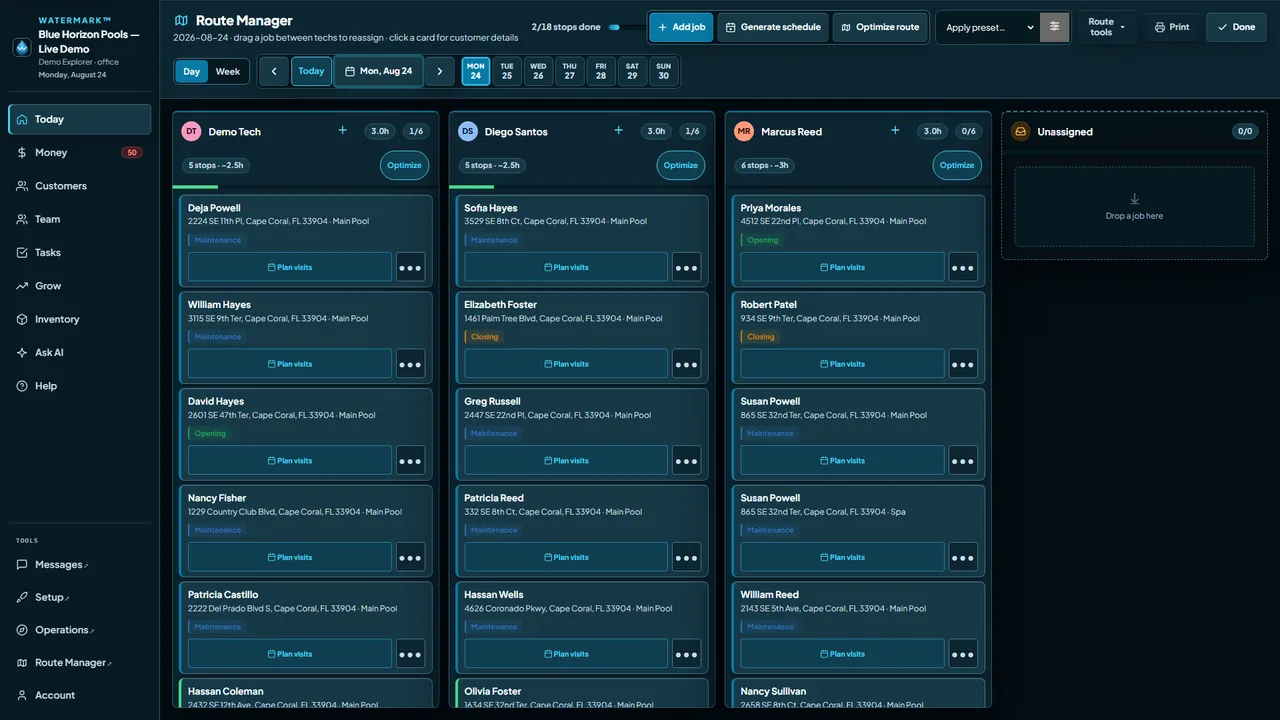
Plan the day in the office, drive it from the truck. When a stop gets rescheduled around a storm the board reflects it rather than the sticky note on your dash.
Getting paid, on your own Stripe
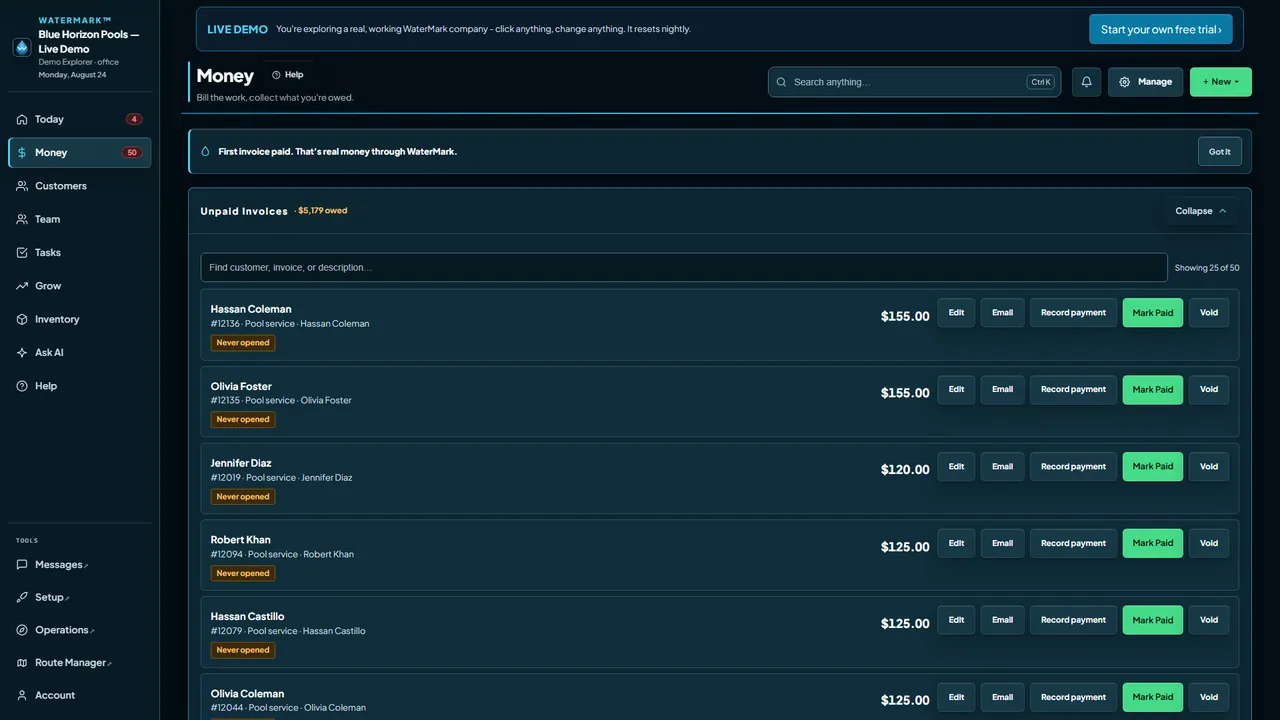
In-app card payments run on Stripe Connect, so each company banks its own homeowner money at Stripe’s published rates with zero WaterMark markup. AutoPay with card on file, invoicing off completed work, and honest dunning. All live.
The office side, without the implementation project
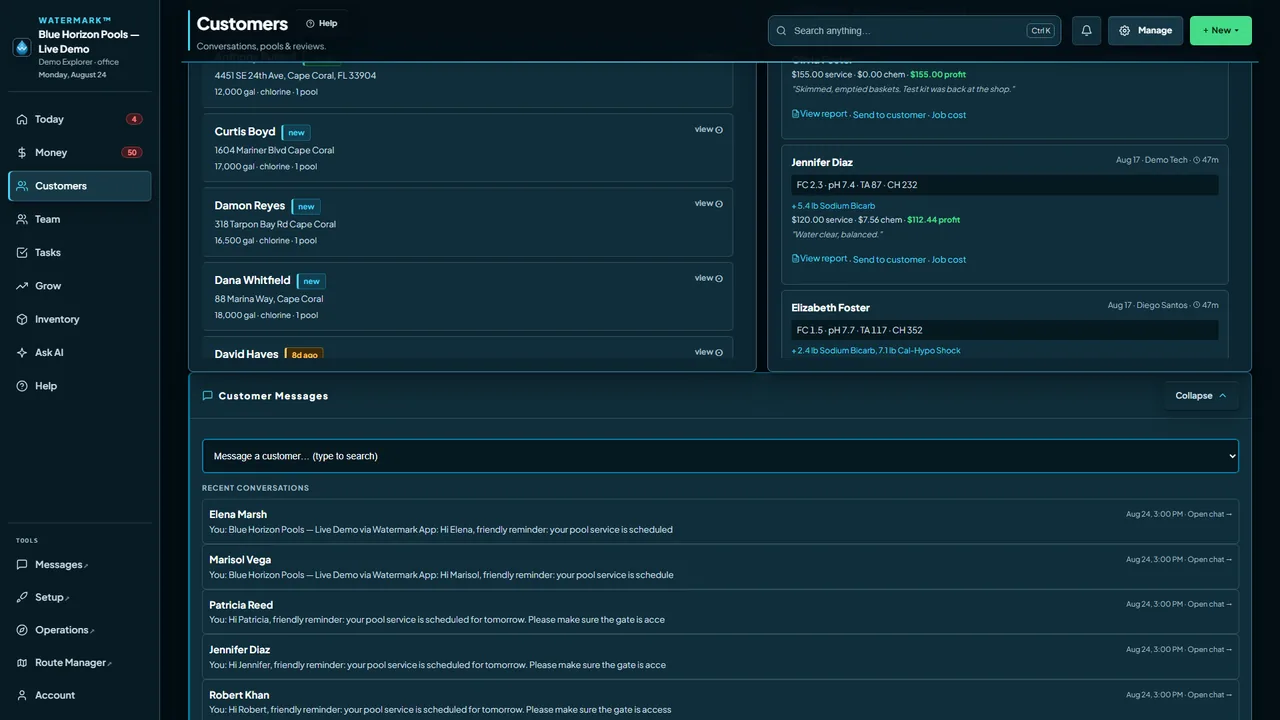
Two-way QuickBooks Online sync is included free (Xero is an optional $15/mo add-on). A no-login homeowner portal, emailed visit recaps, and your own data exportable instantly or deletable on request. Sign up and add one customer and you are looking at a working route.
Spanish on the field screens
The field app’s screens and service checklists run in Spanish at full parity with English: every label carries both, and a test fails the build if one goes missing. Dosing guidance follows the app language too, while measured numbers, units, and chemical names stay exactly the same.
A screen you can read in the sun
The field app is drawn for direct sunlight, because that is where the job happens. It is not an office UI shrunk down to phone size.
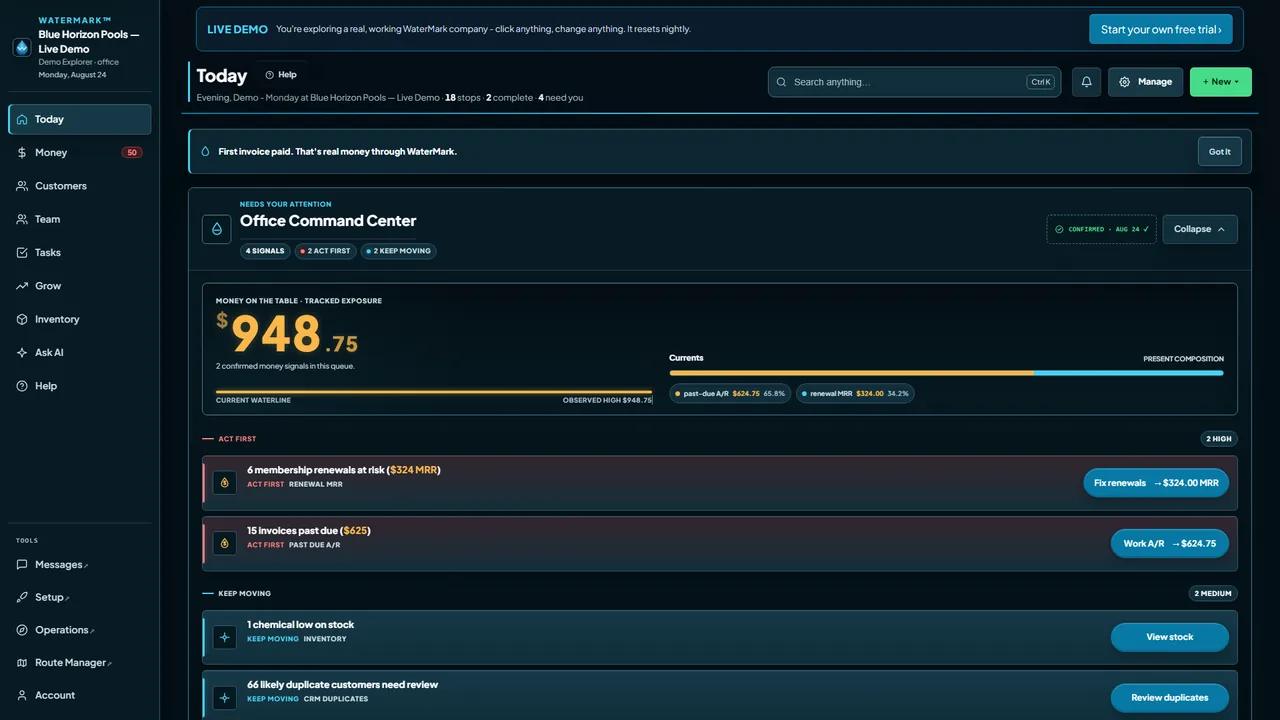
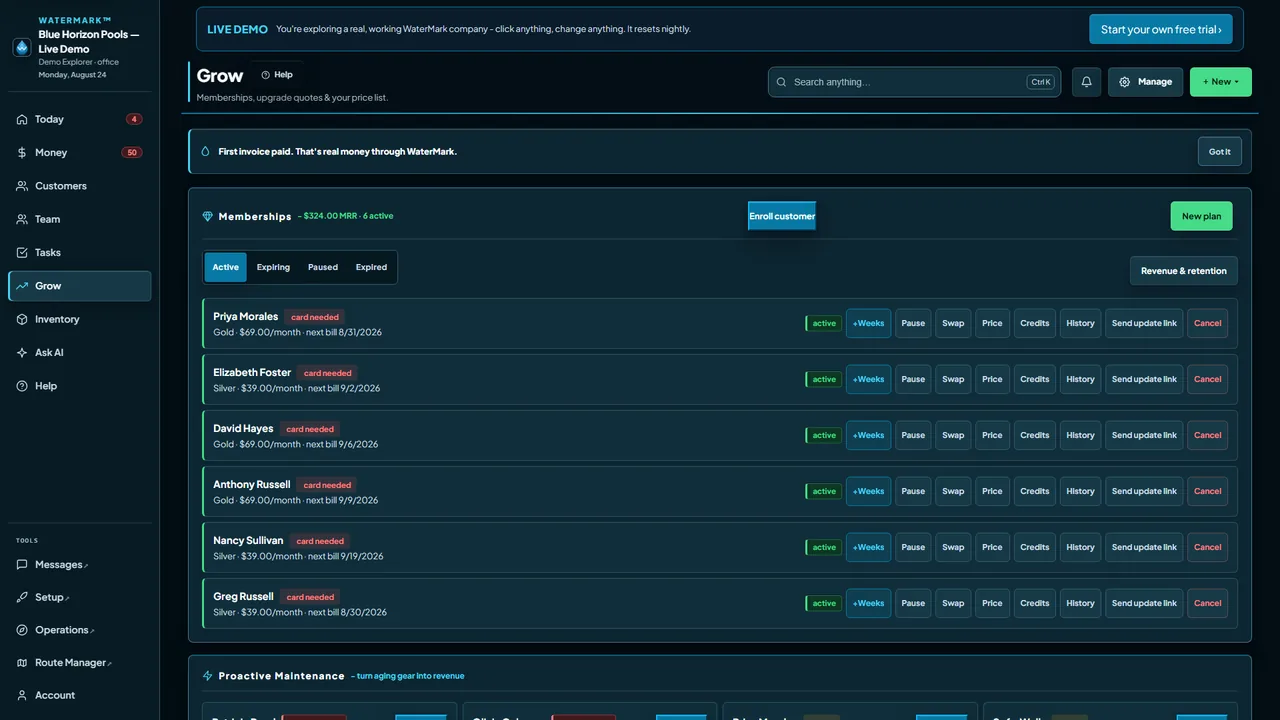
See the working office, not a mockup.
These are real WaterMark screens from the live demo company. Open the demo and inspect the same workflows yourself.
What it costs a Phoenix operator
The whole pricing model, in three sentences, with no call required.
WaterMark offers a 30-day free trial of the $59/month plan, without a card. The entire no-card trial includes 100 text segments, 20 AI actions, 10 receptionist minutes and 5,000 customer emails. A trial without a subscription can have 2 active technicians, the seats the plan includes. On a subscription, paid AI stops at 30 blocks ($300) a month and paid receptionist minutes stop at 40 blocks ($200) a month; past either cap that feature is declined for the rest of the month and nothing more is billed. At day 30, subscribe or the workspace pauses. Your data stays stored and exportable. There is no permanent free tier.
Paid is $59/mo standard, and that base already includes 2 technicians; each active tech beyond those 2 adds $20/mo through the tenth and $15/mo from the eleventh. Customers and locations are unlimited, so adding pools does not raise the WaterMark base subscription at the same technician count. Optional usage and payment processing are separate.
Monthly billing is the default. Annual billing costs 10 times monthly, so 2 months are free: the standard base is $590 a year, plus $200 a year for each added tech through the tenth and $150 a year from the eleventh. Full annual refund within 30 days of the annual charge, none after. Upgrades prorate as credit.
Cancel with a button in your own account. No setup fee, no per-pool fee, no implementation project. Card processing is separate and goes straight to Stripe at Stripe’s published rates. We add nothing to it, which is a bigger deal than it sounds and is exactly what the true-cost calculator is for.
Questions Phoenix operators ask
Is WaterMark available in Phoenix?
Yes. It is software, so it works anywhere you run a route. To say it plainly one more time: we are a software company, not a local branch. We have no office in Arizona, and we will not pretend otherwise to rank for your city. What travels is the product.
Is there a free plan?
WaterMark offers a 30-day free trial of the $59/month plan, without a card. The entire no-card trial includes 100 text segments, 20 AI actions, 10 receptionist minutes and 5,000 customer emails. A trial without a subscription can have 2 active technicians, the seats the plan includes. On a subscription, paid AI stops at 30 blocks ($300) a month and paid receptionist minutes stop at 40 blocks ($200) a month; past either cap that feature is declined for the rest of the month and nothing more is billed. At day 30, subscribe or the workspace pauses. Your data stays stored and exportable. There is no permanent free tier.
Do you charge per pool?
No. Pricing counts technicians, not pools. That is deliberate: for most route businesses, the pool count is much larger than the technician count, so per-pool pricing grows with the route. Run the numbers yourself on the true-cost calculator, including the card-processing line that most vendors leave out.
Does it work without signal?
Yes. Chemistry, LSI, and dosing run on the device, and arrivals, readings, photos, and completions queue on the phone and replay exactly once when signal comes back. Customer records cached for offline use are stored encrypted.
Can I move my customers over?
Yes. Import your customer CSV in minutes on any plan: every row is previewed and the bad ones flagged before anything is written. Your data exports back out any time, on any plan.
Other markets we wrote up
Same software, different water. Nearest first.