Product tour
See WaterMark before you sign up.
These are real WaterMark screens from the live demo company. The images and plain-language descriptions are all here on the page, with no JavaScript required.
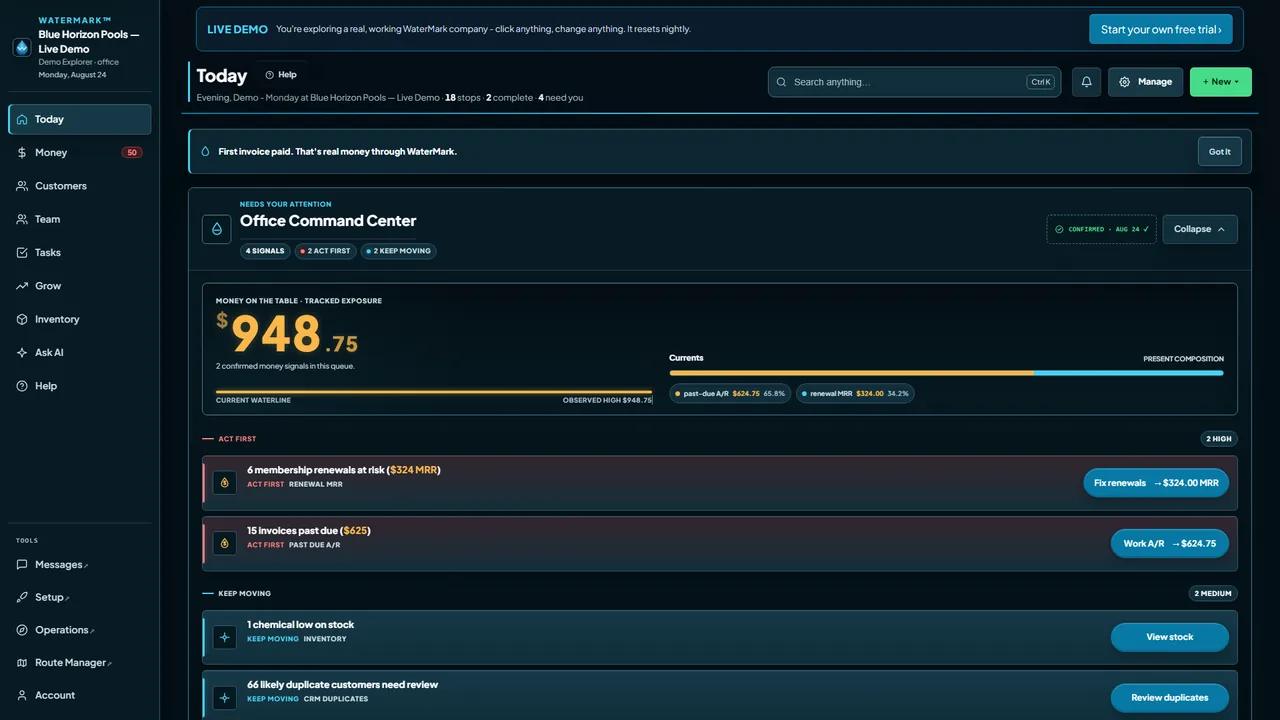
Today
Today: work needing attention
The Today workspace shows signals grouped under “Act first” and “Keep moving,” with tracked exposure and a direct action beside each item.
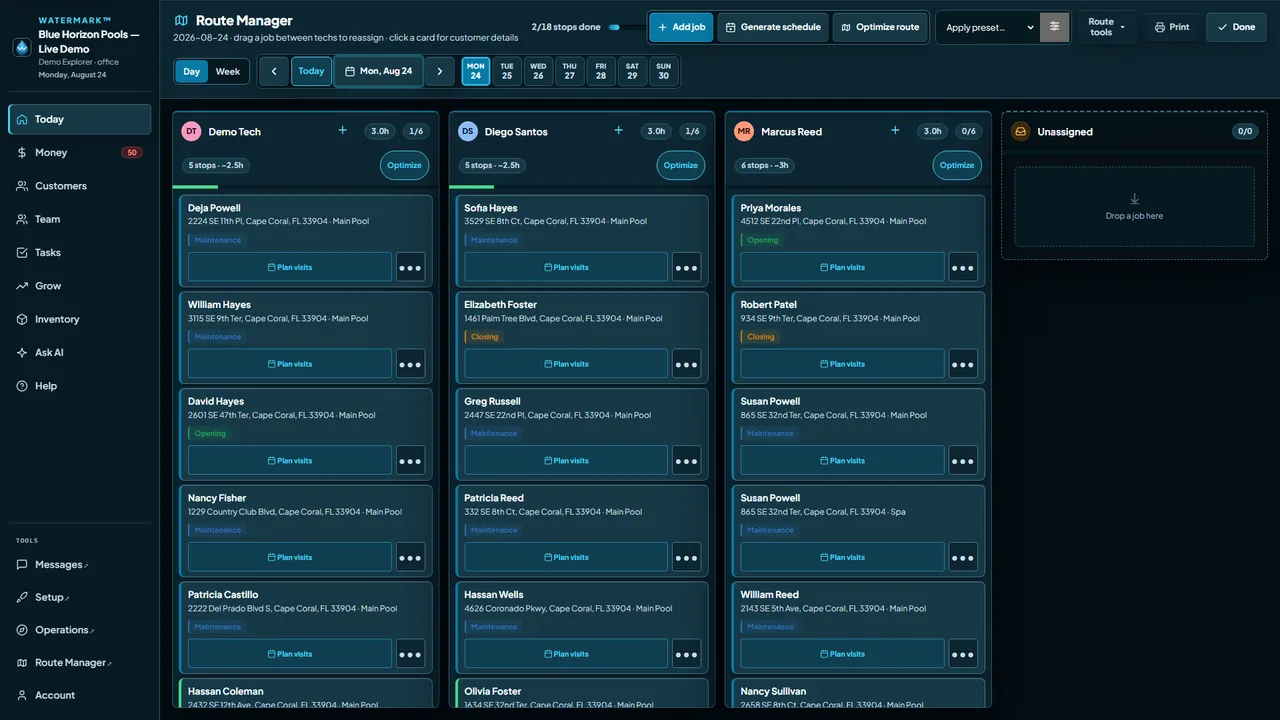
Route Manager
Route Manager: the day by technician
The day board shows each technician’s assigned stops, estimated hours, and customer cards, plus an unassigned drop zone.
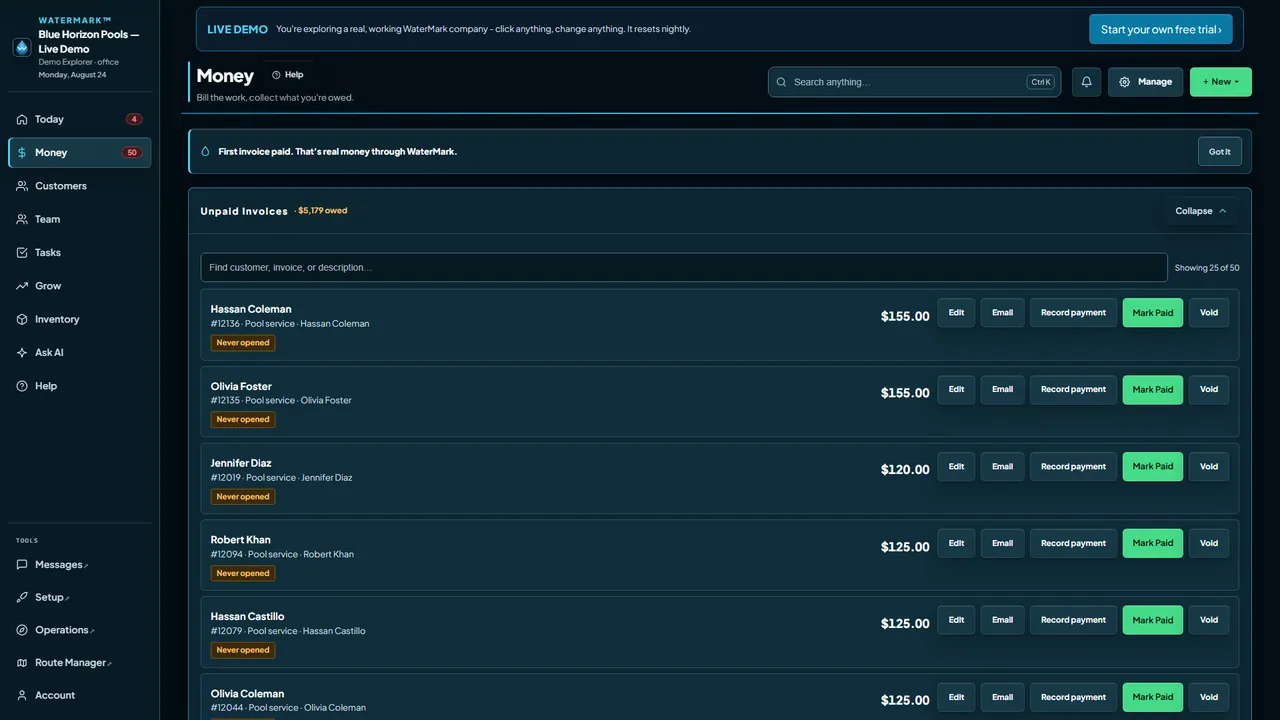
Money
Money: unpaid invoices
The Money screen lists unpaid invoices with the customer, invoice number, amount, and actions to edit, email, record payment, mark paid, or void.
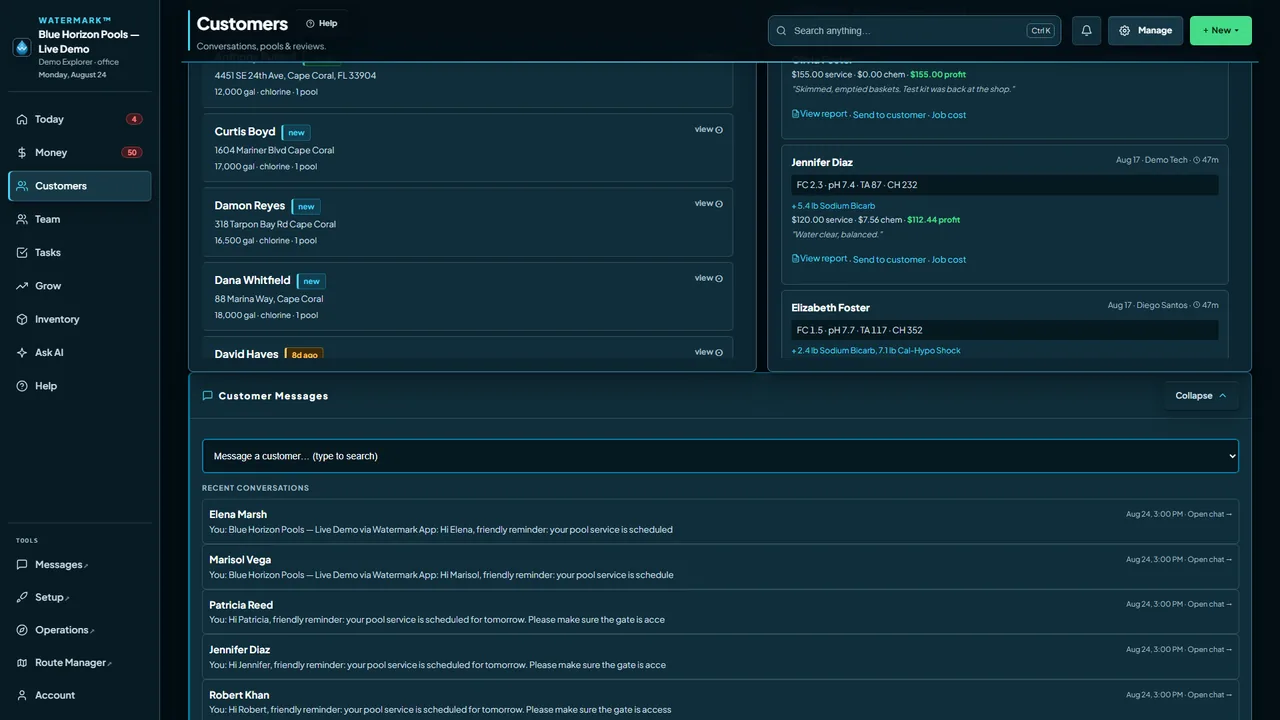
Customers
Customers: records and conversations
The Customers screen shows customer names, addresses and pool details beside recent service results, with recent conversations listed below.
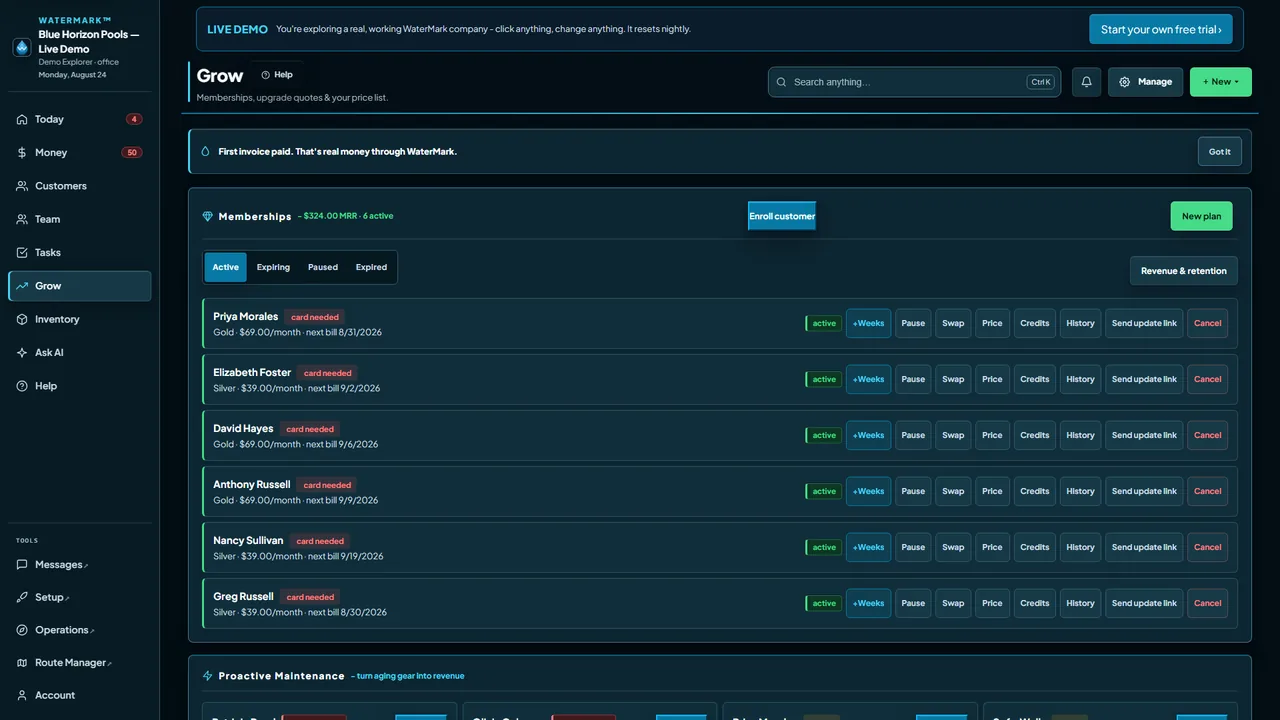
Grow
Grow: active memberships
The Grow screen lists active memberships with plan prices and next bill dates, plus controls for each membership.
Look around for yourself.
The live demo opens the working company shown in these screenshots. No signup is required, and the company resets nightly.